> ## Documentation Index
> Fetch the complete documentation index at: https://trigger-features-scheduled-tasks.mintlify.site/llms.txt
> Use this file to discover all available pages before exploring further.

# Environment Variables

> Any environment variables used in your tasks need to be added so the deployed code will run successfully.

An environment variable in Node.js is accessed in your code using `process.env.MY_ENV_VAR`.

We deploy your tasks and scale them up and down when they are triggered. So any environment variables you use in your tasks need to accessible to us so your code will run successfully.

## Setting environment variables

<Steps>
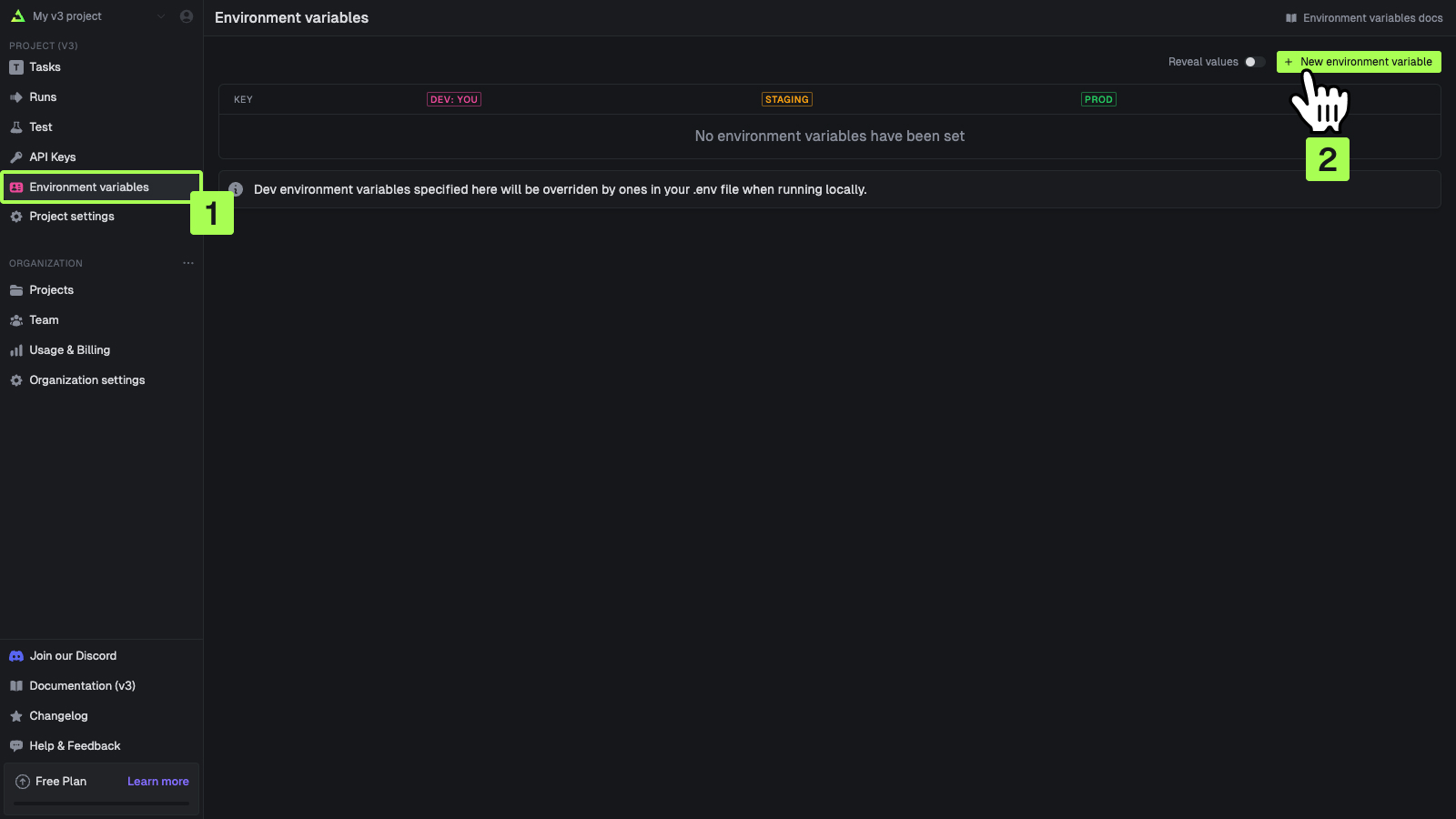
  <Step title="Go to the Environment Variables page">
    In the sidebar select the "Environment Variables" page, then press the "New environment variable"
    button. ![Environment variables page](https://mintlify.s3-us-west-1.amazonaws.com/trigger-features-scheduled-tasks/images/v3/environment-variables-page.jpg)
  </Step>

  <Step title="Add your environment variables">
    You can add values for your local dev environment, staging and prod. ![Environment variables
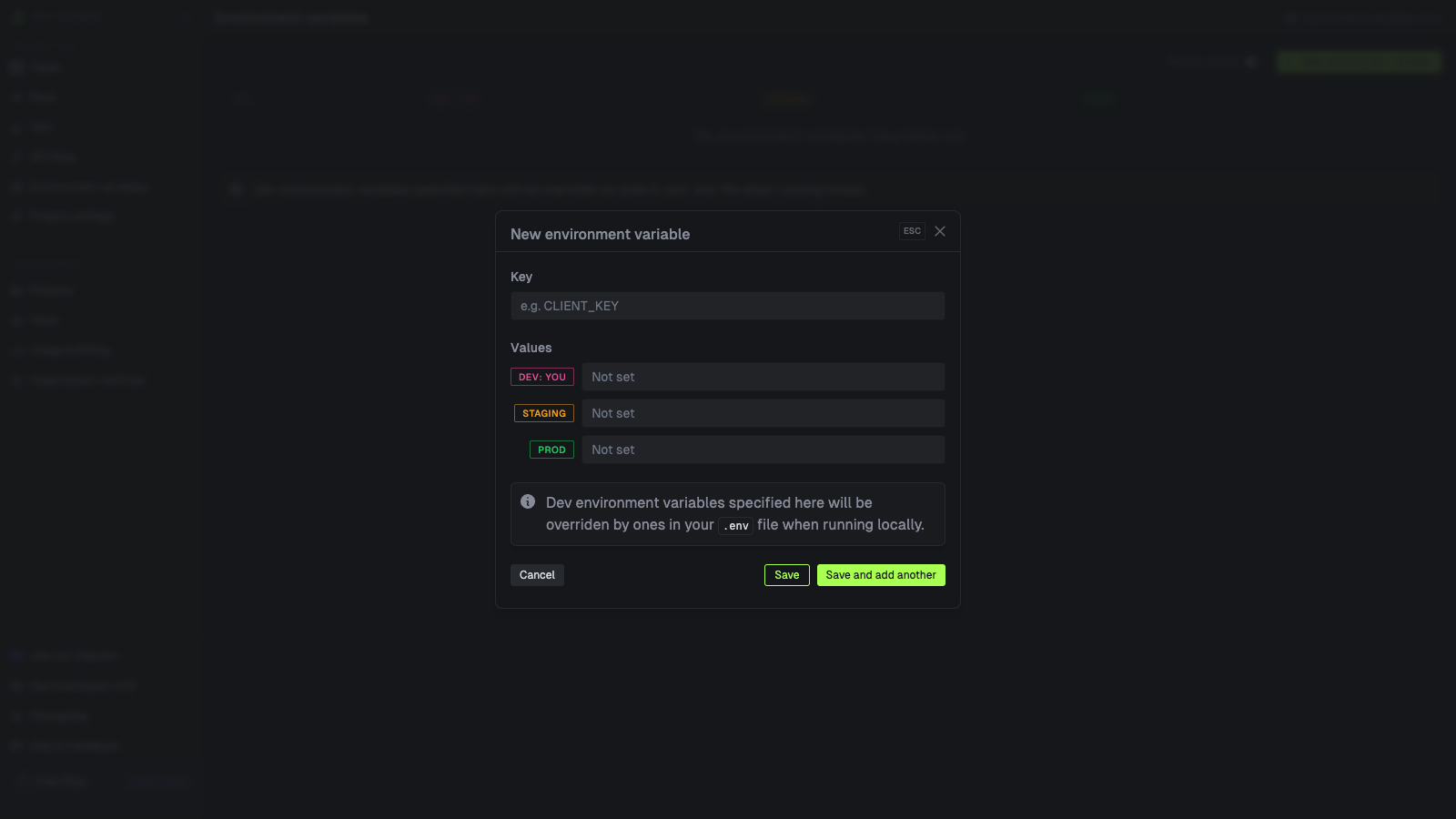
    page](https://mintlify.s3-us-west-1.amazonaws.com/trigger-features-scheduled-tasks/images/v3/environment-variables-panel.jpg)
  </Step>
</Steps>

<Note>
  Specifying Dev values is optional. They will be overriden by values in your .env file when running
  locally.
</Note>

## Editing environment variables

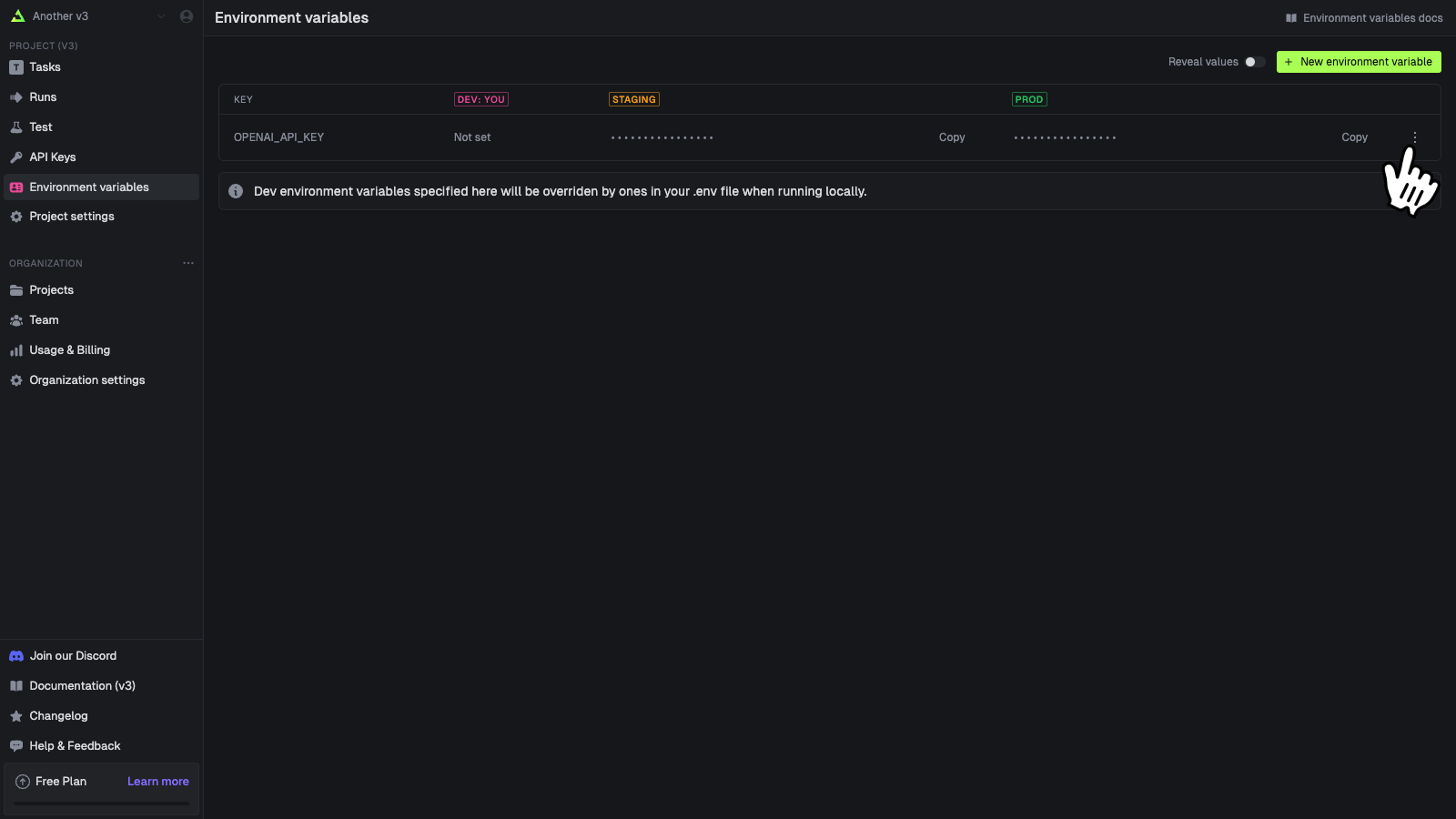
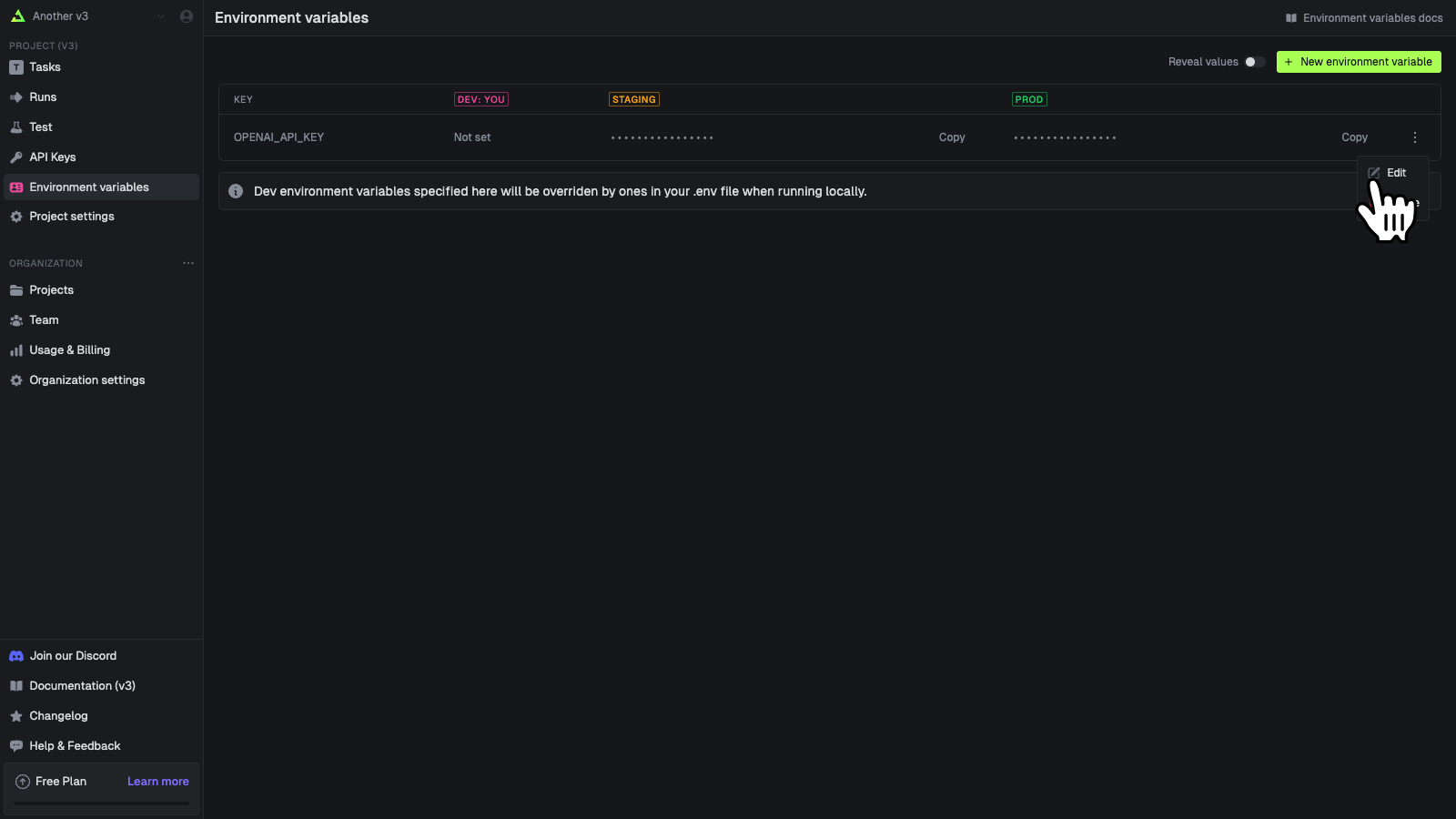
You can edit an environment variable's values. You cannot edit the key name, you must delete and create a new one.
<Steps>
  <Step title="Press the action button on a variable">
    ![Environment variables page](https://mintlify.s3-us-west-1.amazonaws.com/trigger-features-scheduled-tasks/images/v3/environment-variables-actions.png)
  </Step>

  <Step title="Press edit">
    ![Environment variables page](https://mintlify.s3-us-west-1.amazonaws.com/trigger-features-scheduled-tasks/images/v3/environment-variables-edit-popover.png)
  </Step>
</Steps>

## Deleting environment variables

<Warn>
  Environment variables are fetched and injected before a runs begins. So if you delete one you can
  cause runs to fail that are expecting variables to be set.

</Warn>

<Steps>
  <Step title="Press the action button on a variable">
    ![Environment variables page](https://mintlify.s3-us-west-1.amazonaws.com/trigger-features-scheduled-tasks/images/v3/environment-variables-actions.png)
  </Step>

  <Step title="Press delete">
    This will immediately delete the variable. ![Environment variables
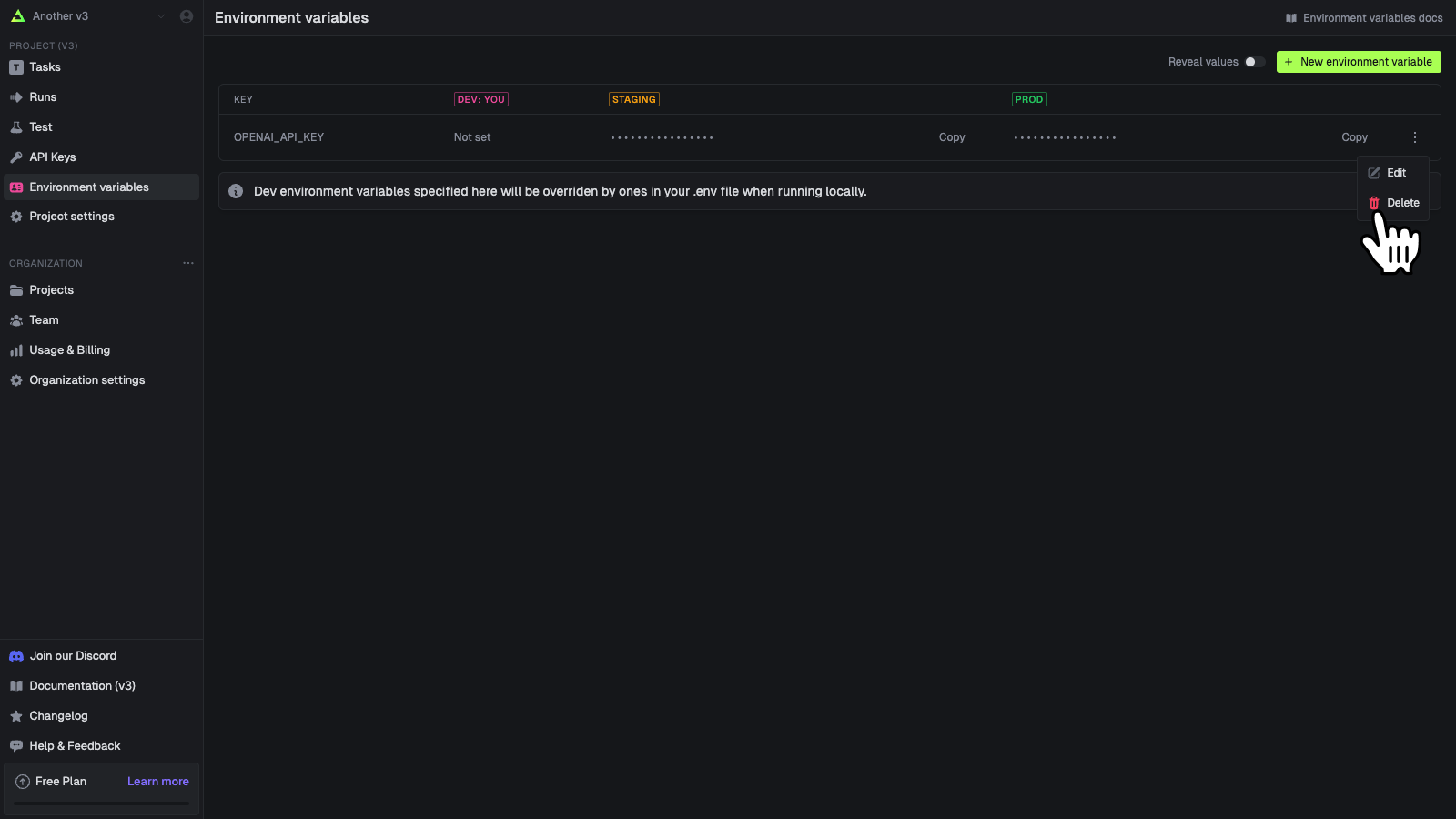
    page](https://mintlify.s3-us-west-1.amazonaws.com/trigger-features-scheduled-tasks/images/v3/environment-variables-delete-popover.png)
  </Step>
</Steps>
